
Millions of people use Facebook and Instagram every day to stay connected with friends, family, and businesses. These platforms are part of daily life for many users around the world. However, there are times when users suddenly cannot log in, refresh their feeds, upload photos, or send messages. When this happens, many people immediately search online to find out if Facebook or Instagram is down.
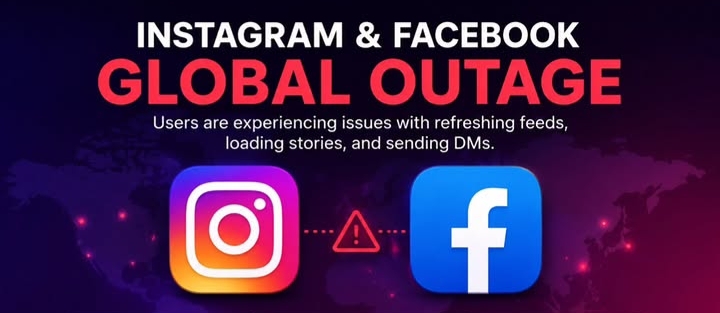
If you are facing login problems or the apps are not working properly, don’t worry. In many cases, the issue is temporary and can be fixed with a few simple steps. This guide explains the most common reasons behind Facebook and Instagram problems and what you can do to solve them.
Why Are Facebook and Instagram Not Working?
There are several reasons why Facebook or Instagram may stop working. Sometimes the problem is with Meta’s servers, while in other cases it could be your internet connection, device settings, or app version.
Some common reasons include:
- Temporary server outages
- Weak or unstable internet connection
- App bugs or software glitches
- Outdated application version
- Login authentication issues
- Account security checks
- Scheduled maintenance
Most of these problems are temporary and are resolved within a short time.
How to Check If Instagram Is Down
If Instagram is not opening or showing an error, first check whether the problem is affecting everyone or only your device.
Signs that Instagram may be experiencing an outage include:
- Feed not loading
- Stories not opening
- Unable to log in
- Messages not sending
- Reels not playing
- App keeps crashing
If many users report the same issue at the same time, it is likely a server problem.
Common Facebook Login Problems
Many users experience login issues for different reasons. Some of the most common problems include:
- Incorrect password
- Forgotten email address
- Two-factor authentication delay
- Security verification request
- Suspicious login detection
- Browser cache problems
Always make sure you are entering the correct email address or phone number linked to your account.
Instagram Login Not Working
If Instagram login is not working, try these quick fixes:
- Restart your phone.
- Check your internet connection.
- Update the Instagram app.
- Clear the app cache.
- Try logging in through a web browser.
- Reset your password if necessary.
These simple steps solve many login problems without needing technical support.
How to Fix Facebook Login Issues
If Facebook refuses to log you in, try the following:
- Restart your device.
- Switch between Wi-Fi and mobile data.
- Update the Facebook app.
- Clear browser cookies and cache.
- Reset your password.
- Check if Facebook services are temporarily unavailable.
If the issue continues, wait for some time before trying again because temporary server issues usually resolve automatically.
What Causes Instagram Server Problems?
Instagram handles billions of requests every day. Occasionally, technical problems can affect servers in one or multiple regions.
Possible causes include:
- Unexpected software bugs
- Heavy traffic during major events
- Data center maintenance
- Network failures
- Infrastructure upgrades
These issues are usually fixed by Meta’s engineering teams as quickly as possible.
Is Facebook Down or Is It Your Internet?
Sometimes the problem isn’t Facebook at all.
Before assuming Facebook is down, check:
- Can other websites open?
- Is your Wi-Fi working?
- Is mobile data enabled?
- Is Airplane Mode turned off?
- Can another device access Facebook?
If everything else works except Facebook, there may be a temporary platform issue.
Keep Your Apps Updated
Many login and performance problems happen because users are running older app versions.
Updating Facebook and Instagram regularly provides:
- Better security
- Bug fixes
- Faster performance
- New features
- Improved stability
Enable automatic updates so your apps stay current.
Protect Your Account
Sometimes login issues occur because Meta temporarily locks an account after detecting unusual activity.
To keep your account safe:
- Use a strong password.
- Enable two-factor authentication.
- Never share verification codes.
- Avoid suspicious links.
- Log out from shared devices.
Good security habits help prevent unauthorized access.
What to Do During a Major Outage
If Facebook or Instagram experiences a widespread outage, there is usually nothing users need to fix.
Instead:
- Wait patiently.
- Avoid repeatedly changing your password.
- Follow official updates from Meta.
- Try logging in again after some time.
- Keep your app updated.
Most outages are restored within hours.
When Should You Contact Support?
If your account still cannot be accessed after trying all troubleshooting steps, contact Meta support if:
- Your account was hacked.
- Password reset emails never arrive.
- Two-factor authentication fails repeatedly.
- Your account was disabled unexpectedly.
- Login errors continue for several days.
Support can help verify your identity and restore access when necessary.
Final Thoughts
Facebook and Instagram are among the world’s most popular social media platforms, so occasional technical issues are expected. Whether you’re searching for “Instagram down today,” “Facebook login,” or “Instagram not working,” the problem is often temporary and affects many users at the same time.
Before assuming your account has a serious issue, check your internet connection, update the app, clear the cache, and confirm whether others are reporting similar problems. Most login issues can be resolved quickly with these simple steps.
Staying patient, keeping your apps updated, and following good account security practices will help ensure a smoother experience whenever you use Facebook and Instagram.
Meta hit by global disruptions as thousands of Facebook and Instagram users report service issues
Andrew Tate and Tristan Tate: Why They Are Making Headlines Again